

Cyberattacks are growing at a rapid pace and destroying companies, government organizations, and people’s private lives.
When you are hit by a hacker who steals sensitive info from your computer or a website you are signed up to, this malicious actor can wreak all havoc on your life.
According to Security Magazine, in 2022 alone, there were over 2,200 cyber attacks a day which equals 1 attack every 39 seconds.
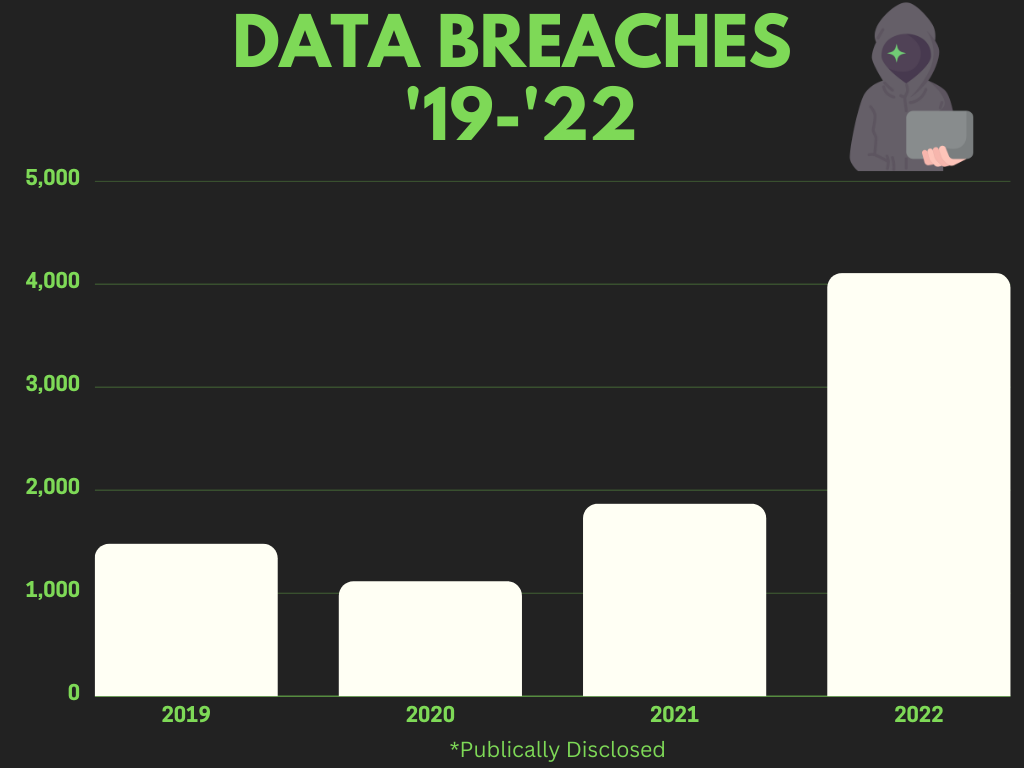
Also, there were over 4,100 publicly disclosed data breaches, with over 22 billion records exposed.
That’s a lot of damage and money being spent to fix it.
And it’s only going to get worse as the years go on and hackers get savvier.
But before we get any further, let me explain what a cyberattack is for the uninformed.
According to techtarget.com, “A cyberattack is any attempt to gain unauthorized access to a computer, computing system or computer network with the intent to cause damage.”
If you have never been a victim of a hack, malware attack, phishing attack, etc., consider yourself fortunate. But I will say you will get affected one day, and it’s not a matter of “if” but “when.”
People who don’t protect their computers from viruses and hackers are likely victimized.
Imagine waking up one morning and not logging on to your pc because you accidentally clicked on a link in your email, and it installed a virus?
Imagine your credit card information being stolen from your favorite online retailer, and you didn’t find out about the data breach until a week after the cyberattack?
This is the hell you can experience if you don’t prepare in advance for cyberattacks.
But for those new to this arena, let me briefly explain the most common cyberattacks that often happen.
Ransomware – a type of cyberattack that locks the files on your system. You won’t be able to access them until you pay a ransom to the hacker.
A phishing attack is when a cybercriminal sends a fraudulent email requesting your user login info for specific websites. If you give them your information, they can take over your accounts.
Password attack – This is when hackers try to guess your passwords or use brute force methods to gain access to your accounts.
Spyware – a malicious program that spies on your activity on the computer and sends sensitive data back to the hackers.
Virus – another type of malicious software that infects your files and replicates itself, destroying your whole computer or network.
Malware – Malware is short for “malicious software.” Malware usually comes in the forms of computer viruses, ransomware & spyware.
This is just a short list of common cyberattacks.
Believe me, there are many more types of attacks hackers have up their sleeves.
You should be aware of these as someone who wants to prepare for economic collapse and avoid future headaches.
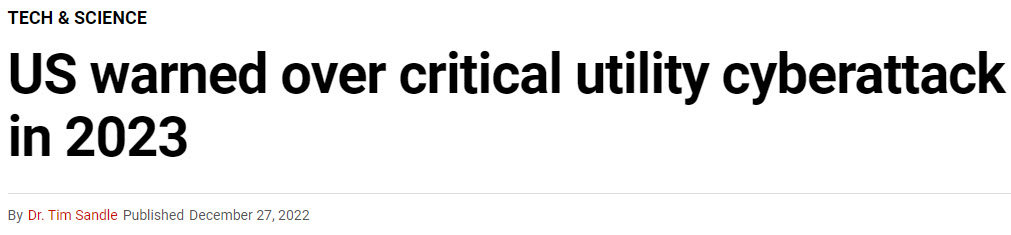
Cybercriminals will try to take down the U.S. power grid to cause massive panic and unrest in the country.
If and when the power grid goes down, fuel pumps will stop working, traffic lights will no longer work, trains will stop running, supply chains will cease to function, and critical facilities such as hospitals, fire stations & police stations will no longer operate.
To make a long story short, it will be a total mess.
These criminals will also target computer-illiterate people to try and steal their identity and credit card information.
When these criminals get ahold of sensitive information, they max out credit cards, take out fraudulent loans, and go on a never-ending shopping spree at someone else’s expense.
Here are some real-life examples of major cyberattacks that have happened recently.
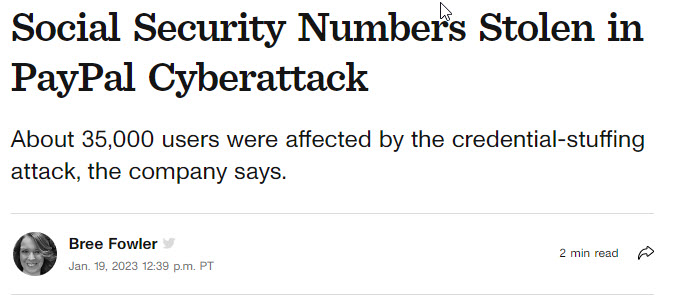
In December 2022, Paypal experienced a cyberattack where 35,000 users had their social security numbers stolen.

In May of 2021, Colonial Pipeline, an American oil pipeline system, was a victim of a ransomware attack that had to temporarily shut down operations which caused a significant fuel shortage on the east coast of the U.S.

In 2014 the Marriott hotel brand experienced a damaging data breach. Over 300 million guests’ credit card numbers were stolen in this cyberattack. But guess what? The breach wasn’t discovered until 2018…
These are just a few examples of significant attacks.
I can list a lot more, but we will be here all day.
I say this to you, as an individual, that you need to prepare to defend against cyberattacks, so you don’t have your life ruined over one.
What I intend to do in this video is give you 7 ways to prepare for cyberattacks so you can be as prepared as you can be.
But before we begin, please like, share, and subscribe.
I really would appreciate it.
Without further ado, let’s begin.
Use Strong Passwords
It would help if you got in the habit of creating strong passwords for any websites & applications that you use.
Using a simple, easy-to-guess password such as “iloveyou123” is easy for hackers to guess, and you can guarantee that you will be hacked at some point.
Start creating strong passwords at least 12 characters long with a random combination of uppercase & lowercase letters, numbers, and special characters.
Gh987!@ferT)
And my advice for storing these passwords is to use a password manager such as Keeper Security.
I currently use this application to safely store my user logins and passwords for the websites I use. It has been a lifesaver since I no longer have to remember or write them down.
I will leave a link for Keeper below.
Don’t Click On Unfamiliar Links
You should never click on links that look unfamiliar.
Clicking on these links will more likely lead to a phishing attack that can steal your sensitive information or download malware onto your computer and destroy your files and operating system.
If you believe a link looks shady, don’t click it.
Check the sender’s email address to ensure it’s legit and doesn’t look unfamiliar.
Also, you can contact the sender to double-check that they indeed sent you the email and it wasn’t a cybercriminal.
Clicking on unfamiliar links can cause more damage than you can imagine.
Don’t Use Public Wi-Fi
It’s never a good idea to use public Wi-Fi.
Why? You may ask.
Because public Wi-Fi networks are a playground for hackers since they are not encrypted or secure.
Hackers can position themselves between you and the Wi-Fi router and monitor all the traffic sent between you and the Wi-Fi access point.
They will be able to see all the websites you visit, your user name & passwords for any sites you log in to, and all sorts of data they can use to disrupt your life.
If you must use public Wi-Fi, log into a Virtual Private Network /VPN first.
A VPN will encrypt your data & traffic so hackers can’t get a hold of it.
The VPN provider I use is NordVPN.
I will leave a link to it below.
Install Anti-Virus Software on Your Computer
Suppose you want to defend your computer against nasty computer viruses.
In that case, you should definitely install anti-virus software on your computer.
Anti-virus programs will detect and eliminate viruses and malware that can destroy your computer.
There are plenty of programs to choose from.
Some notable recommendations are Mcaffee, Norton, and Malwarebytes.
They all work very well and will get the job done.
Protect Your Home Wi-Fi Network
You should take specific steps to protect your home Wi-Fi network from hackers.
The first thing is to create a strong Wi-Fi password, so anyone that wants to access your home network has to log in.
The next thing you can do is change the default name of your Wi-Fi so it isn’t easily identifiable by hackers.
By making the name of your Wi-Fi network unique, hackers won’t be able to link you to your network.
Protecting your Wi-Fi network is an excellent way to thwart hackers from invading your home network and your home life.
Keep Your Operating System Up to Date
If you are using Windows or macOS, always keep your Operating Systems up to date.
When these manufacturers push out new updates, they are usually security fixes & patches to plug up holes in the Operating Systems so hackers can’t attack you.
I advise you to turn on automatic updates, so your computers can update when you know you won’t use them, such as late at night.
Keep Backup Files
Always make backups of your important files.
Suppose you become a cyberattack victim, and your computer is destroyed. In that case, you have backups and can restore all your important and necessary files.
You thank yourself that you made the necessary backups if SHTF.
In conclusion, these 7 ways to prepare for cyberattacks should help you defend against cybercriminals.
Implementing just a few of these tips will put you over 99% of Americans just living with their heads in the sand.
Cyberwarfare is growing daily, and hackers are getting savvier and developing more tools to wreak havoc on society.
You took the first step by watching this video, so you must implement a few of these tips.
Thank you for tuning into the Red Pill Economy, where we help you stay aware and get prepared for the incoming economic collapse of the United States of America.
If you found this video valuable, please, like, share, and subscribe.
Thank you for checking out this post, and I will see you next time.
Take care.